Google Design Challenge
User Experience, 2018
Challenge Brief
At the beginning of each new semester or school year, teachers are faced with the challenge of remembering names for a large number of new students. Design an experience to help an educator match faces to names, with the goal of shortening the time needed to reach complete un-aided accuracy. Provide a high-fidelity mock for at least one step of this experience.
Role
UX/Motion Design
Tool Duration
Sketch, Framer one Week

OBJECTIVE
How might I create a experience to help an educator efficiently match a student's name to their face without too much extra effort input?
OUTCOME
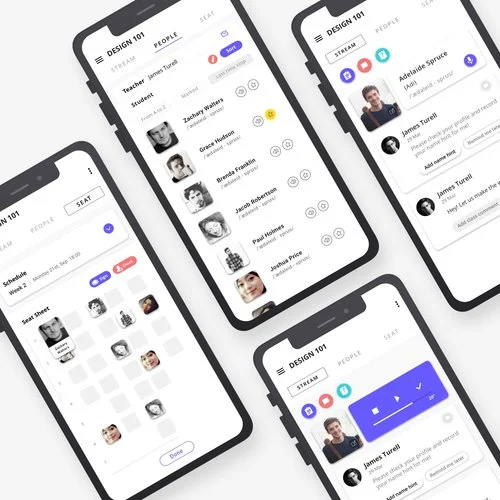
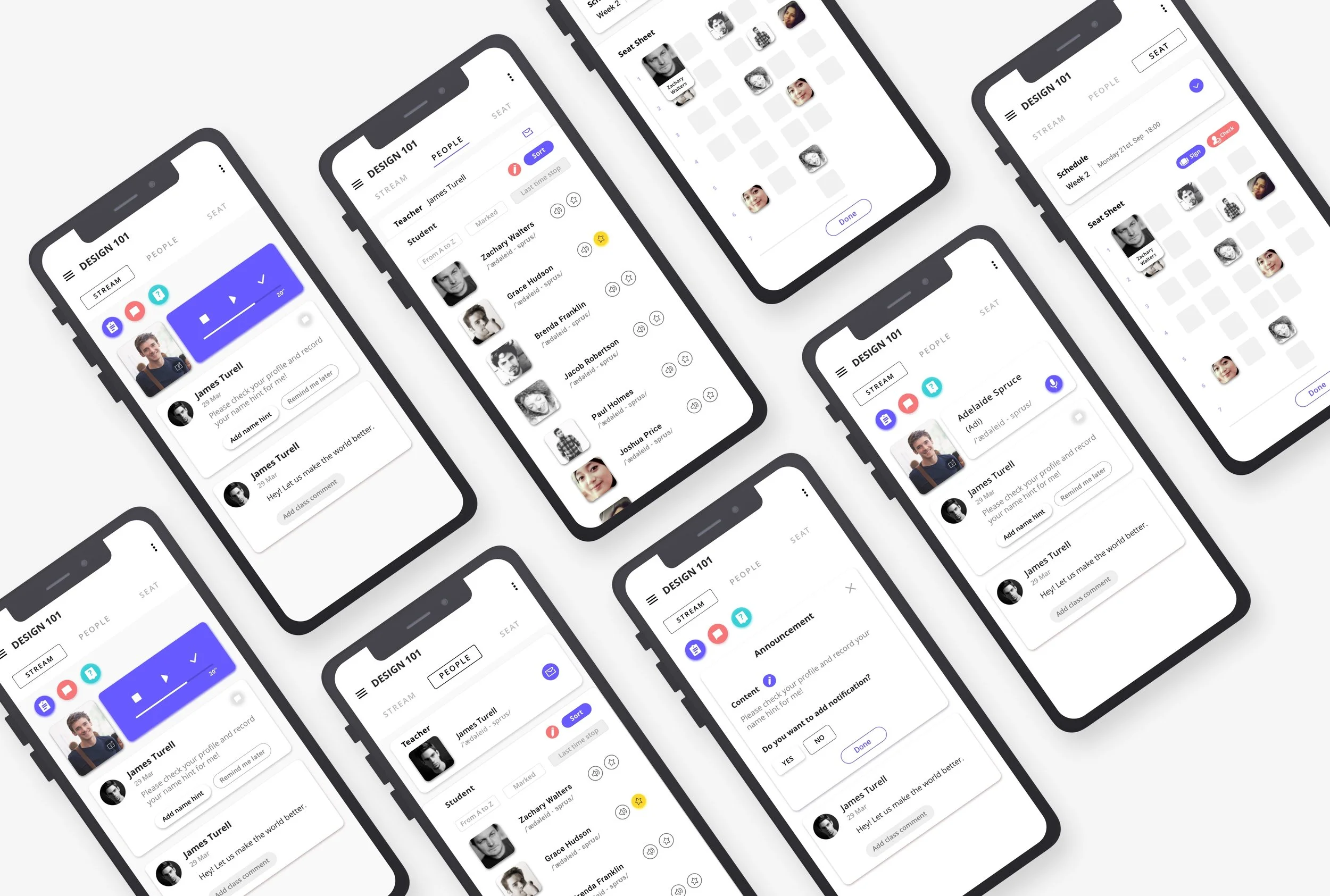
An integrate design based on Google Class mobile end. With four key features, “Add name hint”, “Review name list”, “Assign the seat” and “Name linked game”, provides the reasonable journey to help teacher to match the name to face.
Understand the problem
It is easy to design an experience to help an educator match faces to names. But it is hard to quantitively evaluate the time cost spent on the experience and saved through its successful use.
"Remember that a person's name to that person Is the sweetest and most important sound in any language"
-- Dale Carnegie
01. Research
1. Early Exploration
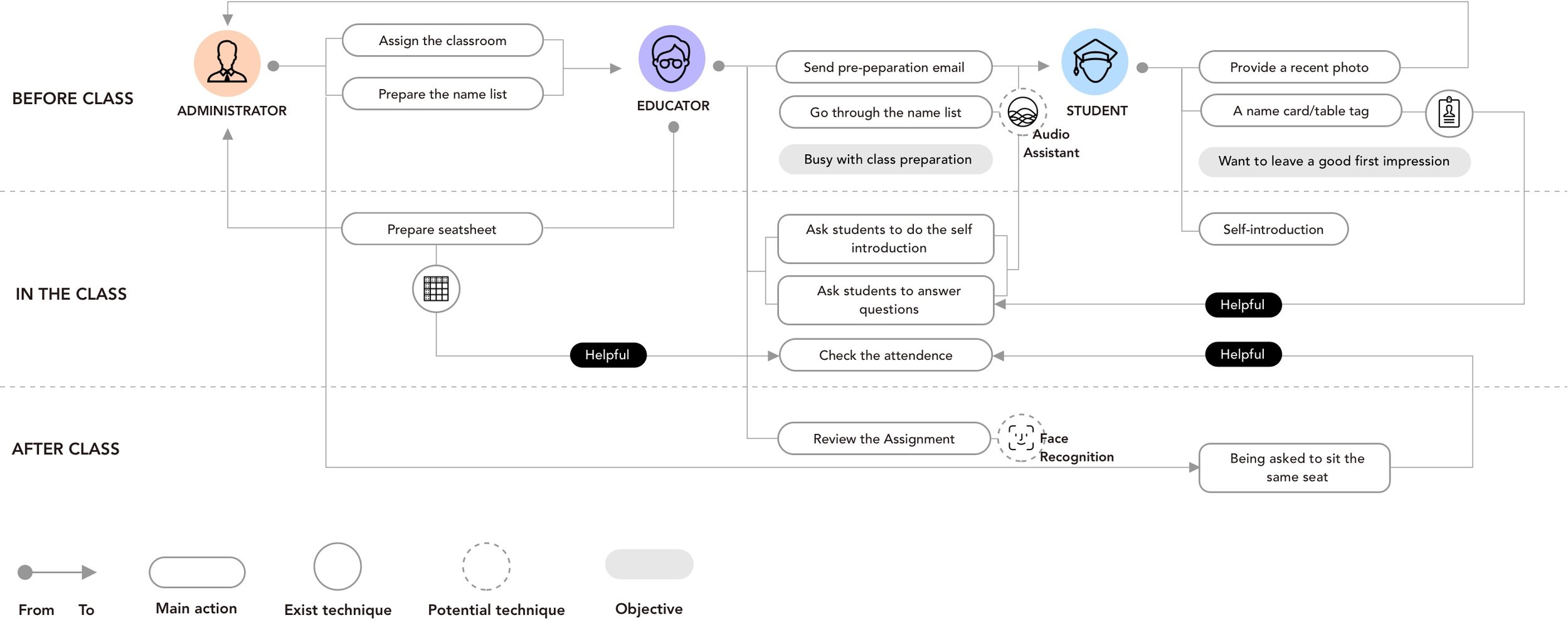
A story map within the stakeholders, the context, and the actions.
There are some objective factors need to be clear:
The teacher do not have much Time to spend on remembering name
students are willing to leave a good impression for teacher
Administrator is a “shadow“ factor in this context
2. Interview And Insights
How Teacher think and deal with remembering name?
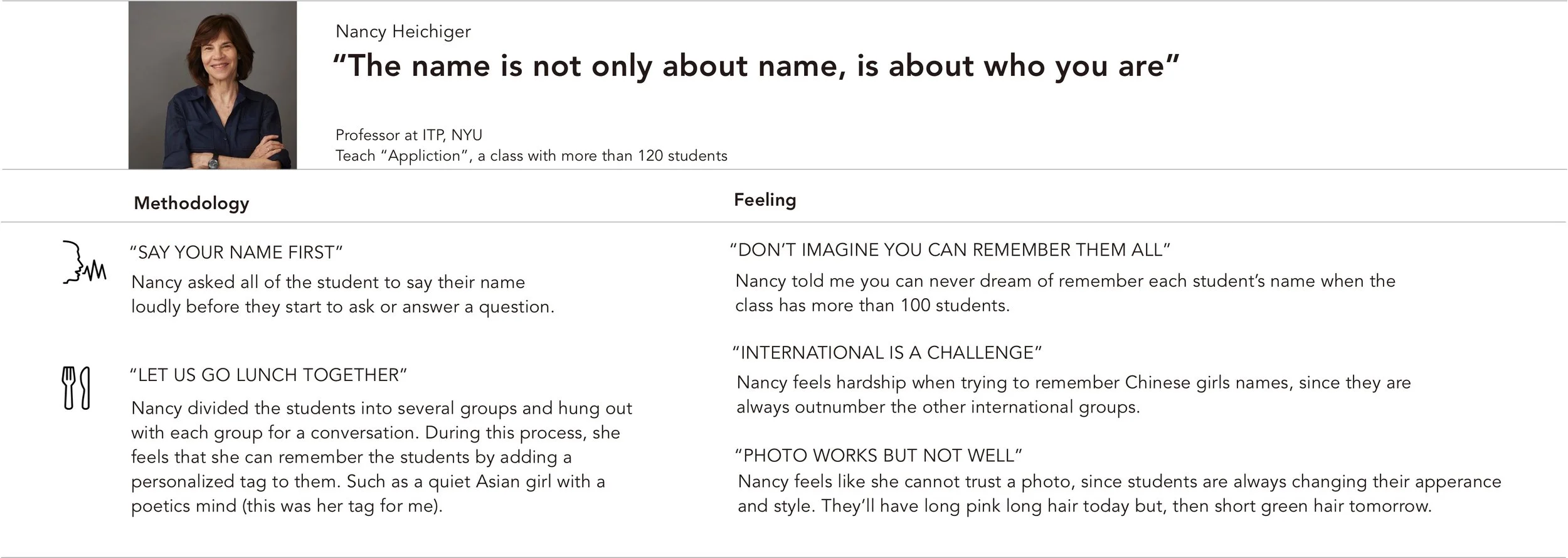
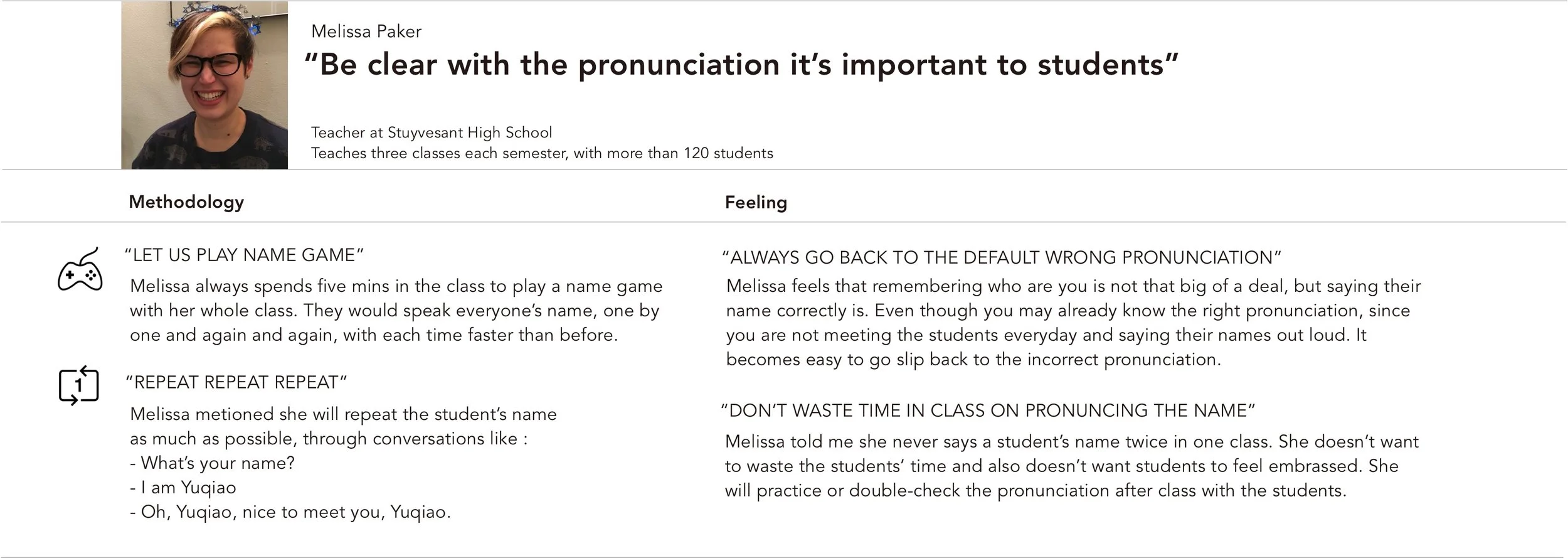
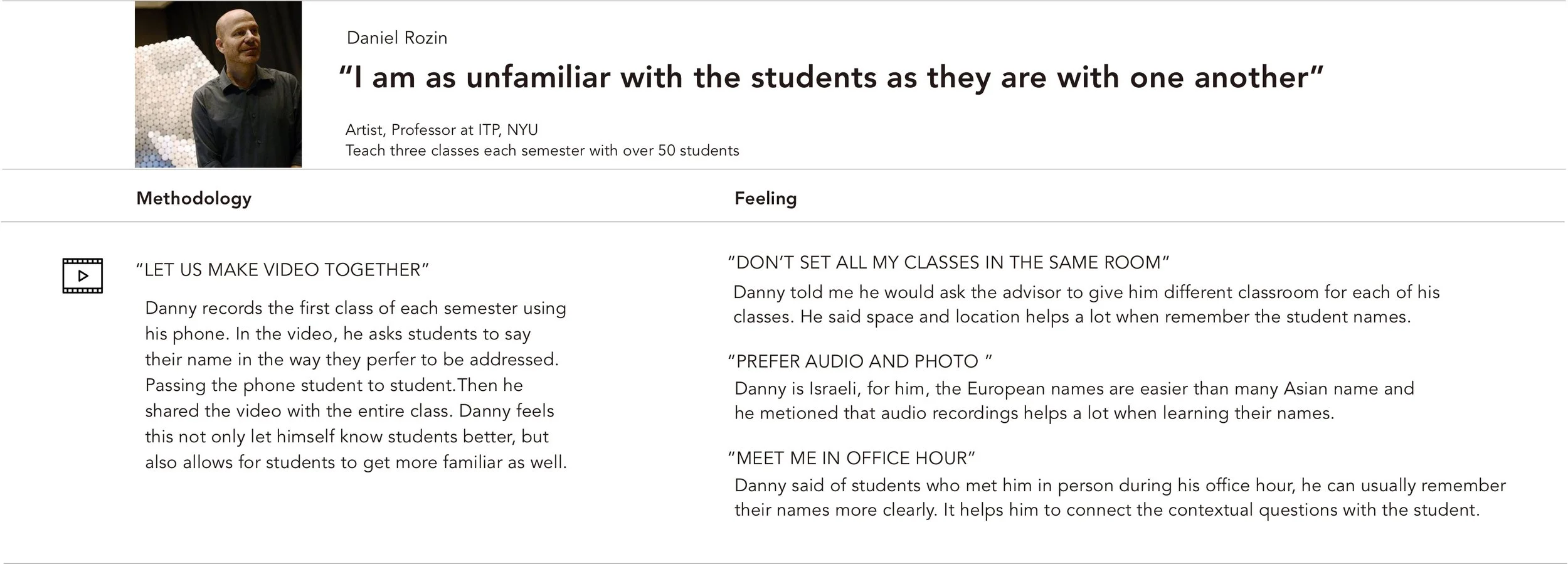
I interviewed seven educators, four college professors, a university administrator and two high school teachers. In case I may already have an 'old school' style compared to primary and middle school students, I also spoke with Sophia, an 11-year-old girl.
What are the easiest and hardest parts?
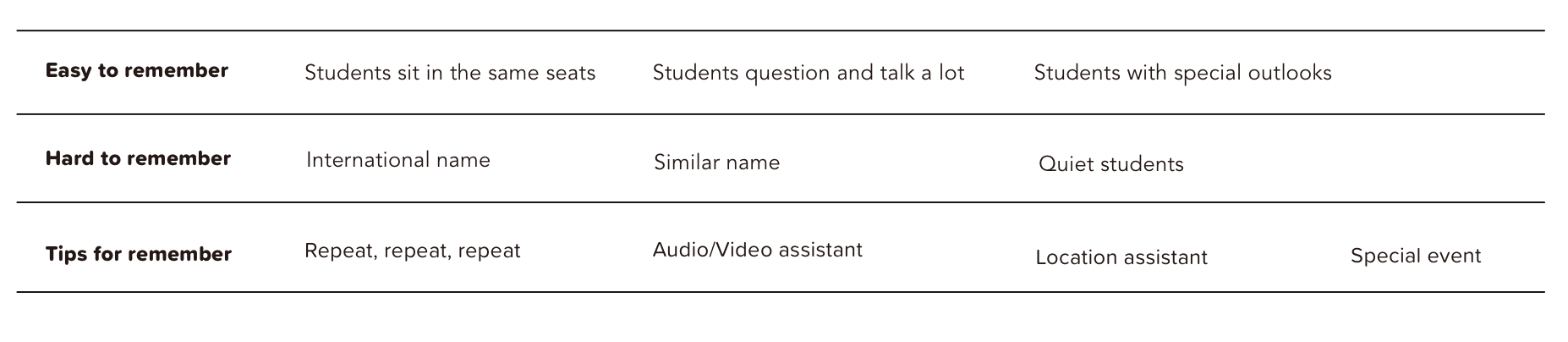
INSIGHTS
1. Teachers have their own ways for landing with depicting the personality or character of the student.
2. Teachers use different ways to add the chance of repetition.
3. They prefer students to sit on the same position to help them to remember.
4. Matching the name to face is a process of creating a unique profile for the students inside the teacher’s mind.
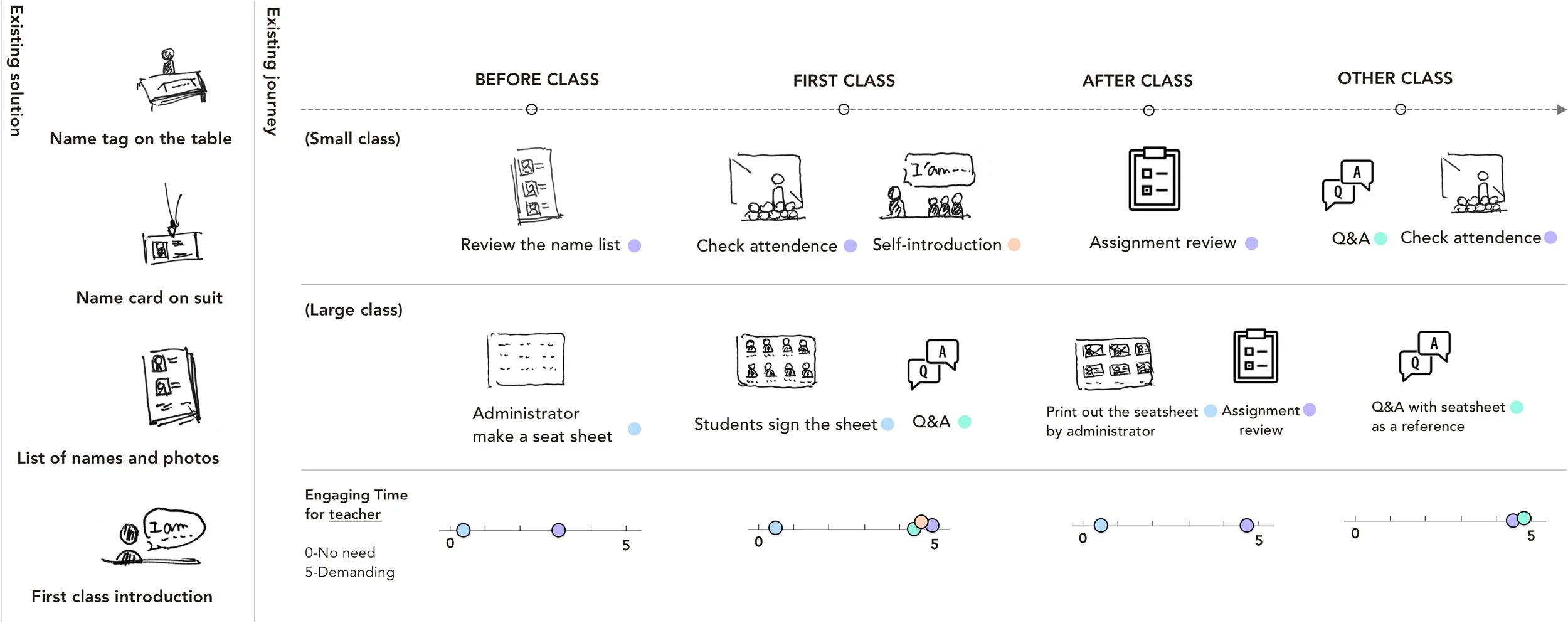
What are the existed journey and solutions?
INSIGHTS
1. The remember-related activities happens in before, in, and after the first(first two) class, the “in-class“ period is the high level engaging time, is the “must spend” time
2. The existing solutions are analog and less efficient but useful.
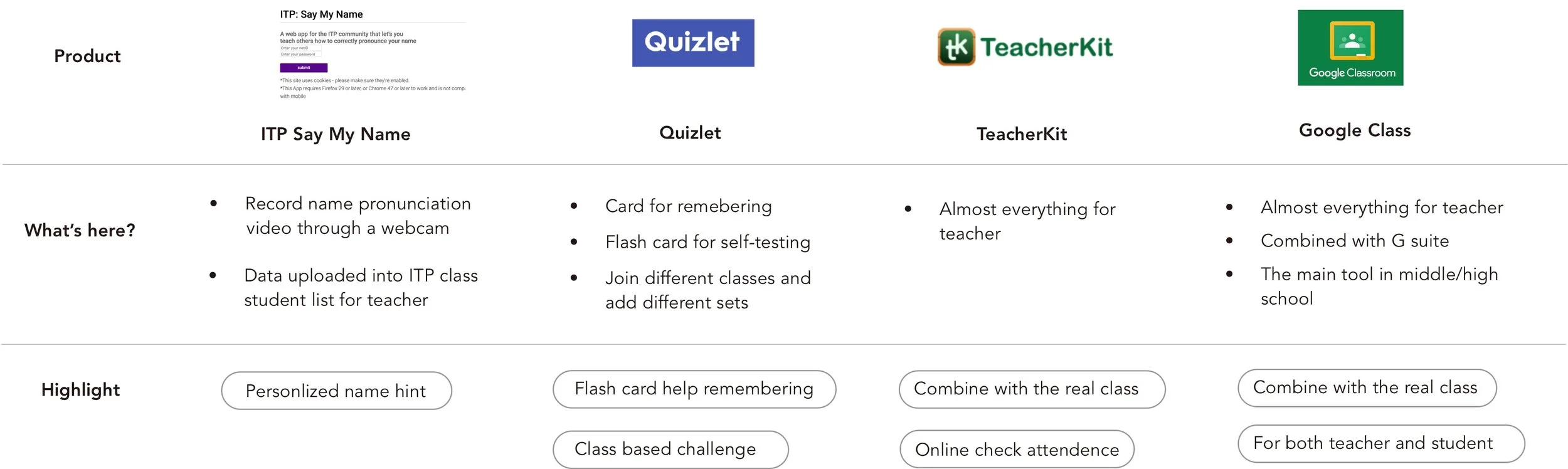
3. Competitive Research And insights
What are the exist Products ?
4. Secondary Research
What are the principles and methodologies of remembering names?
Dominic O'Brien’s memory principles
Association: The basis of all memory
Location: Mental images placed in specific locations are then easier to recall
Imagination: Exaggerating your mnemonic images makes them more effective
How to describe a person when you forget his name?
We always use personal tags to describe a person, such as position, outlook, accent and hobby
5. Opportunity area
Based on the research I did above and the insights I got, I landed with five opportunity areas.

02. Ideation
1. Experience journey
2. Brainstorming+Synthesis
3. Solution
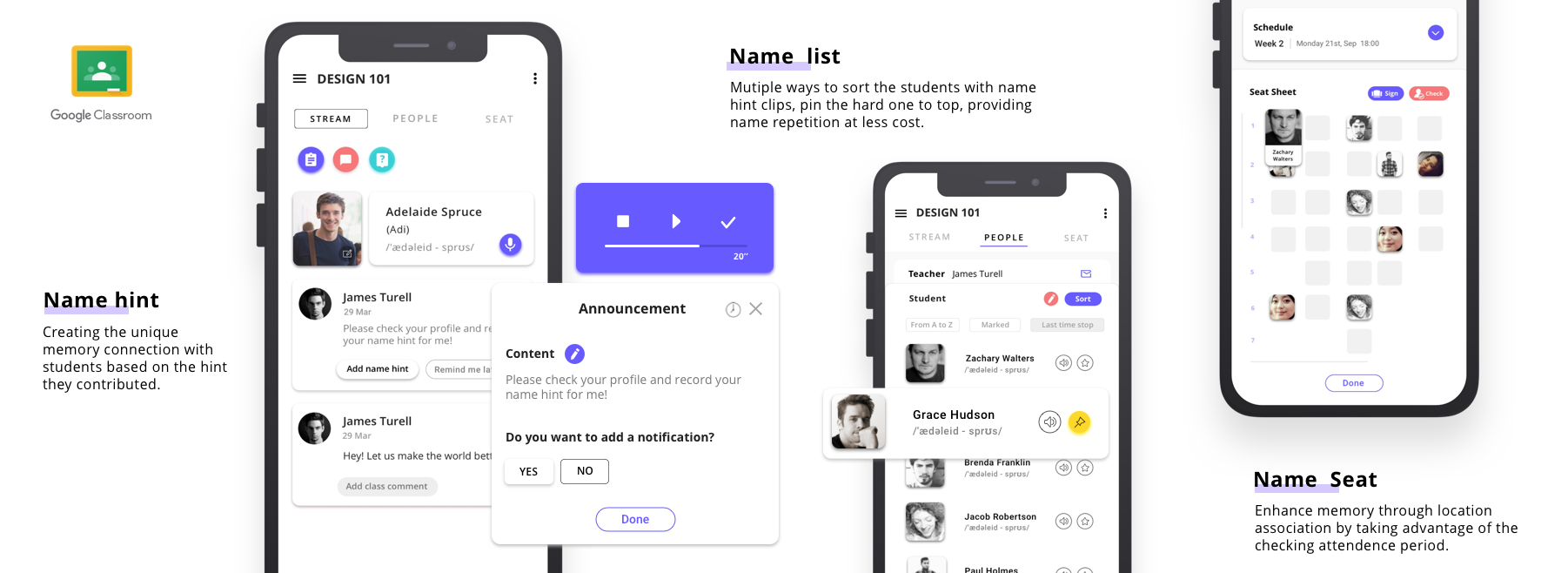
Integrate Four functions into Google Classroom(Mobile)
Add Name Hint+ Review Name list+ Check Attendance+ Link Game
The core concept is creating chances for teachers to repeat students' names in multiple ways and in the most reasonable scenarios.
It creates three interactions: 'name hint', 'name seat' and 'name game' in three different levels, basic, behavior and bonus, through a process that focuses on collaborating between students and teachers.

03. Design Development &Test
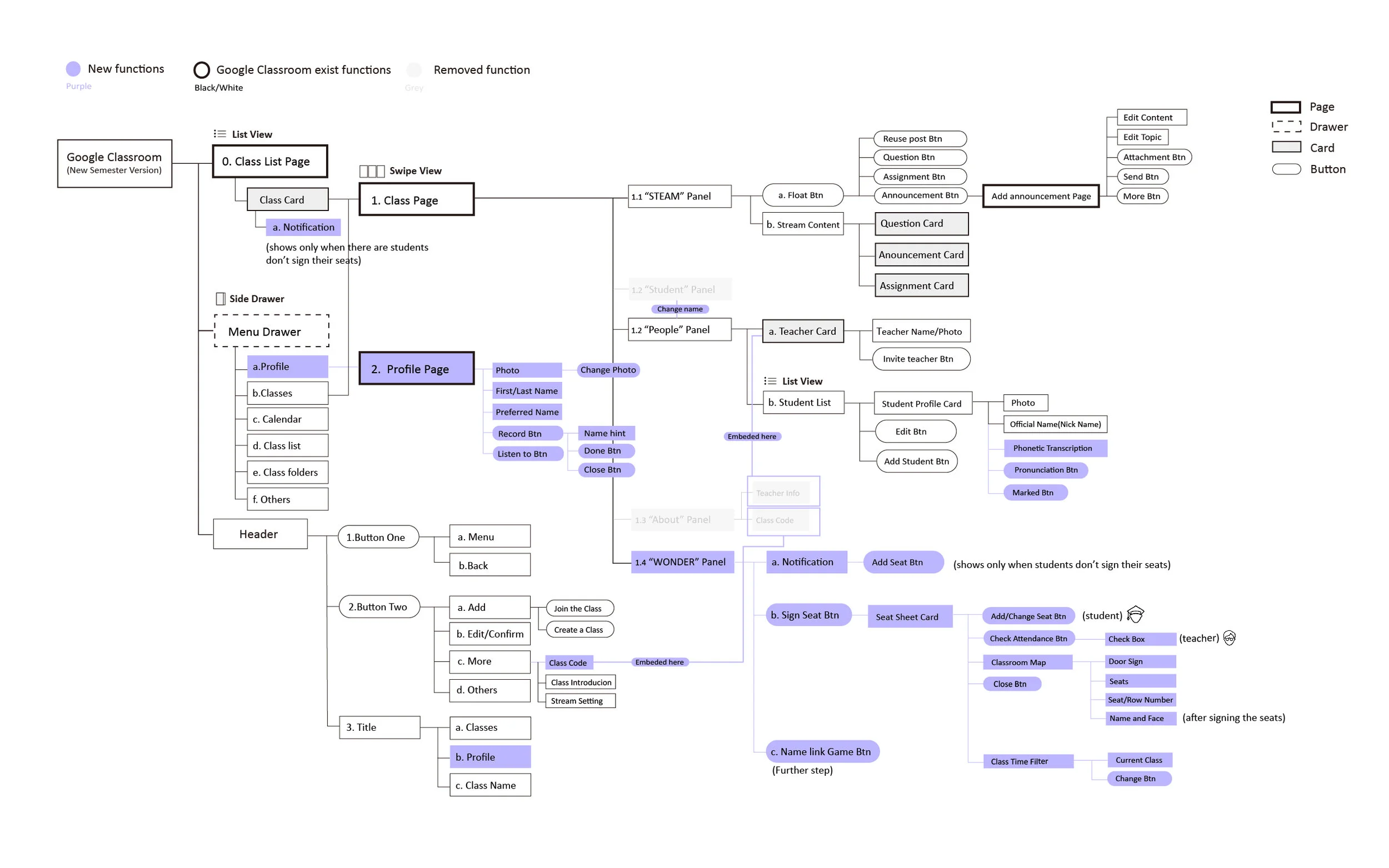
Information Architecture (Version 1.0)
This is the first version Information Architecture which I integrated the four main flow with the Google Classroom mobile. The purple one is the new elements, and black and white one is the exist Google Classroom elements.
2. Low- fidelity Paper test
Test Pre-condition
The class schedule and classroom information could be imported from the school system.
The teacher created the class and invited the students to the class or students sign into the class themselves.
Test Goal
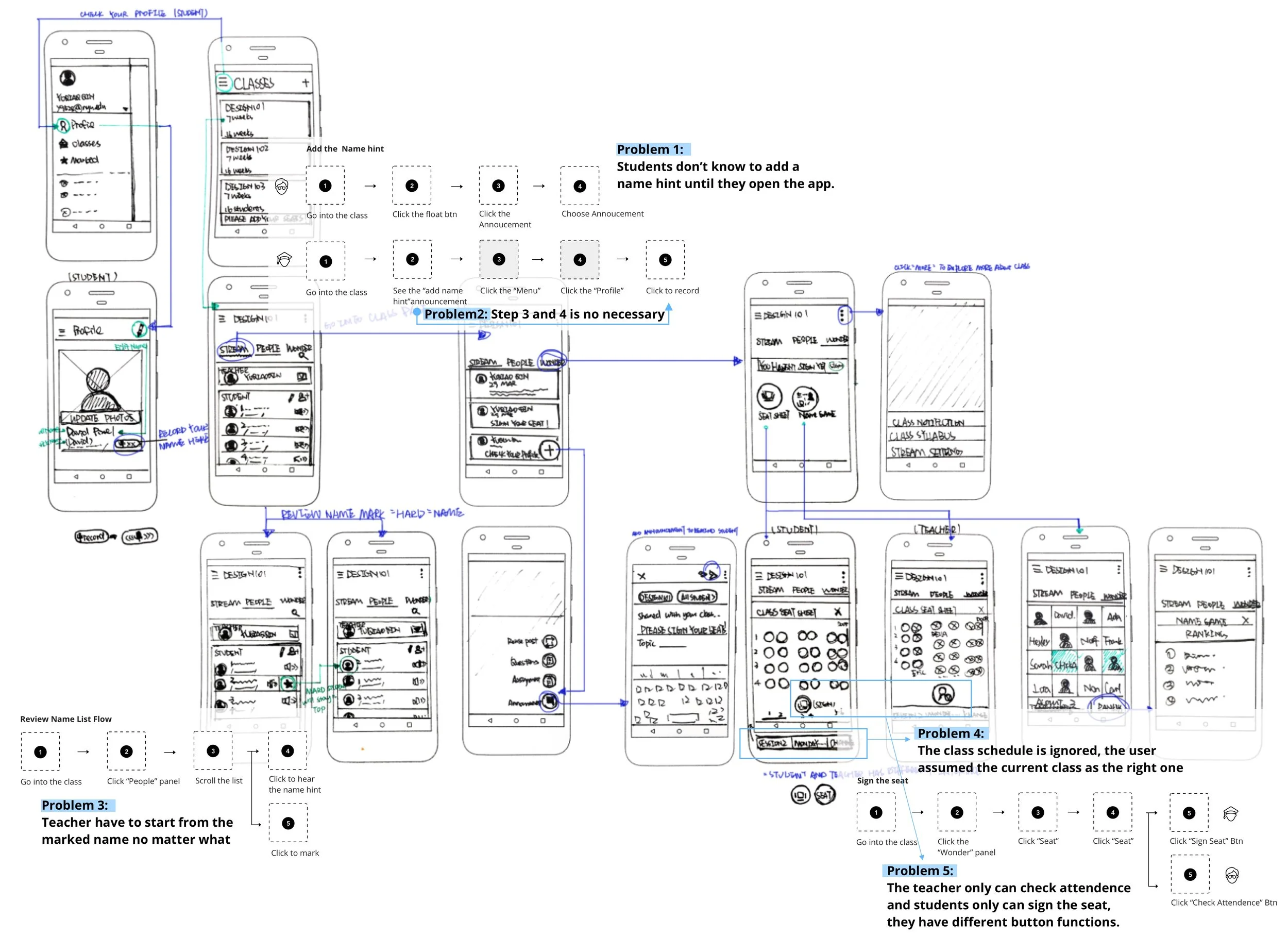
Test the feasibility of “Add Name Hint” flow, “Sign Seat Flow” and “Review Name List flow".
Test the “Name Linked Game“ as a potential implement.
Observe and inquire to figure out the most reasonable flow.
3. Interactive Prototype Test
https://framer.cloud/wjiRM
Test Goal
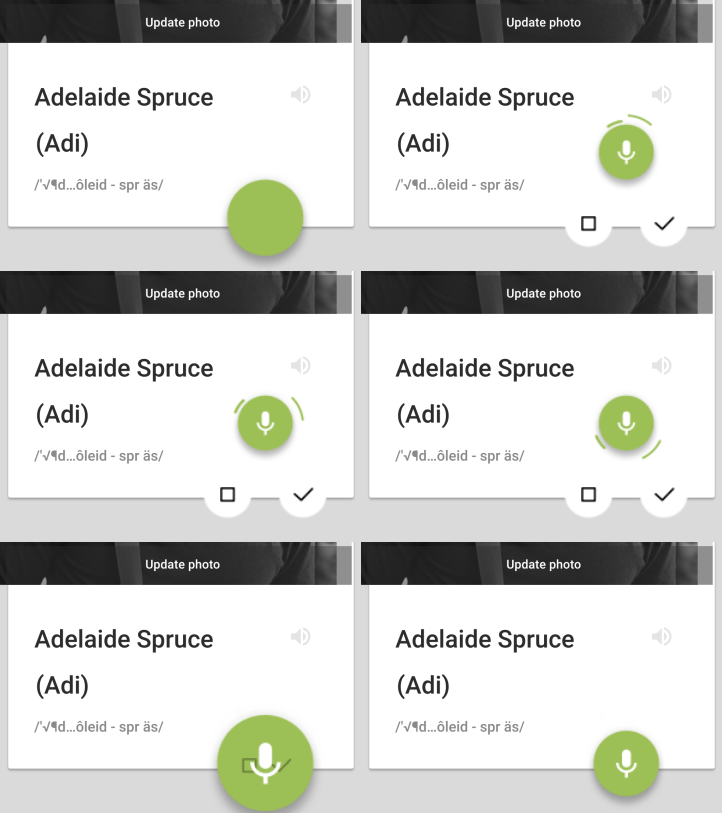
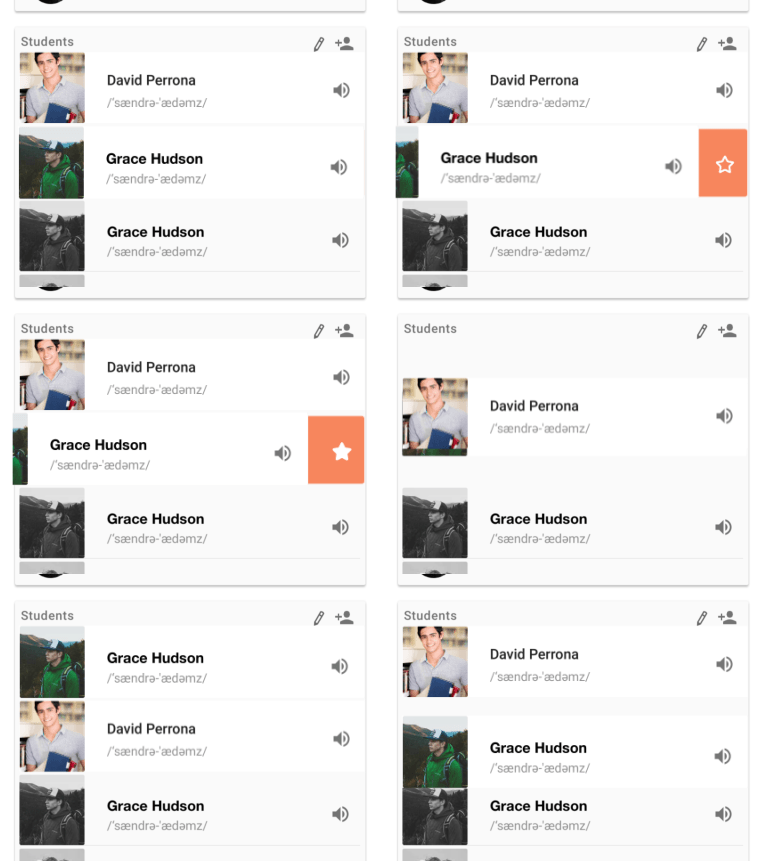
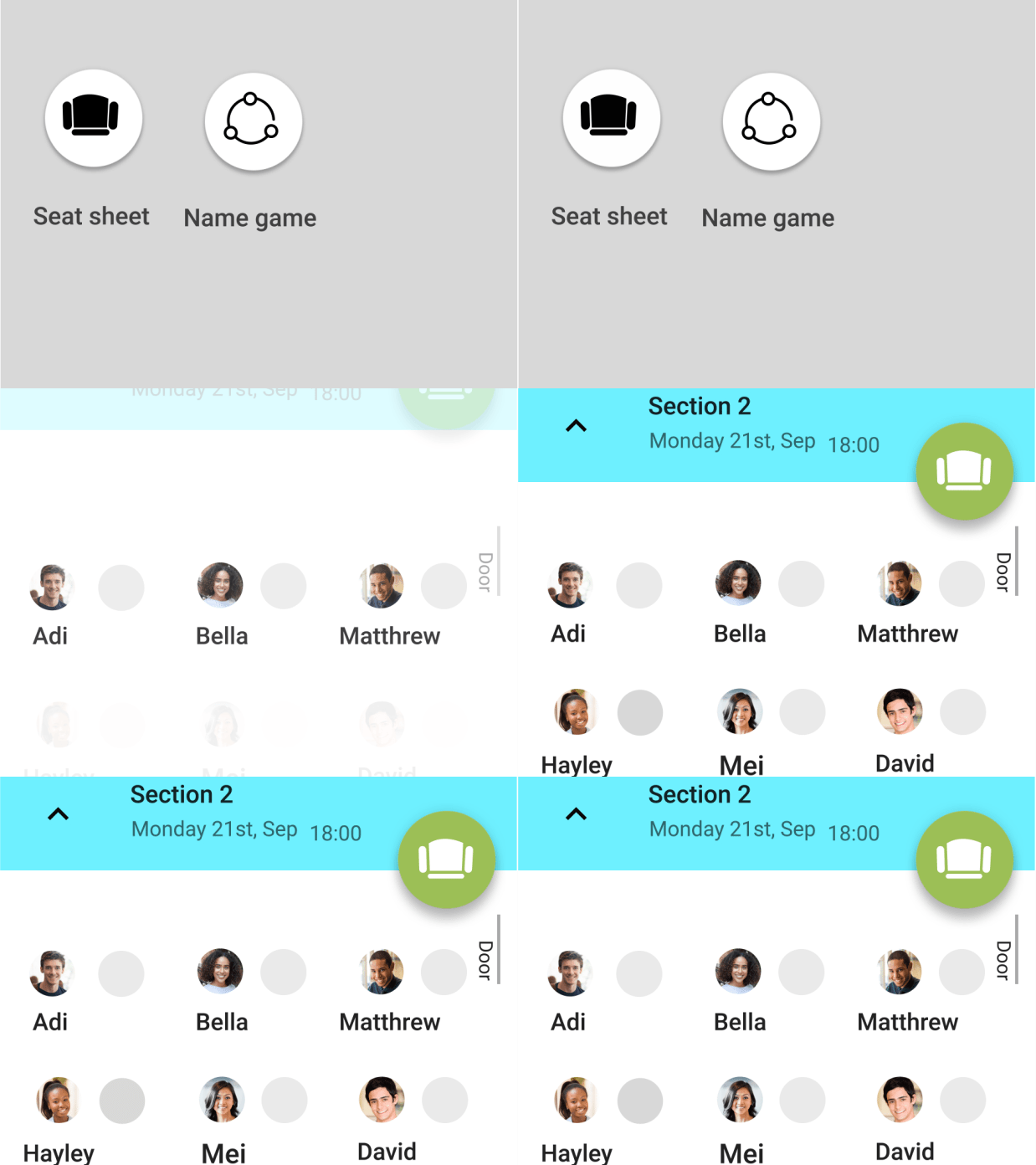
Test the visibility of the “Record name hint”, “Mark the name", and “Sign the seat” functions.
Test the motion and interaction of the new features.
Test Learned
The “Name hint ” either too long or too short.
The users want to hear their recording to make sure it is qualified.
Swipe to mark is too complicated and less affordance for this feature.
The photo for the seat sheet is too small for the teacher to check attendance.
What I Changed

04. final Delivery
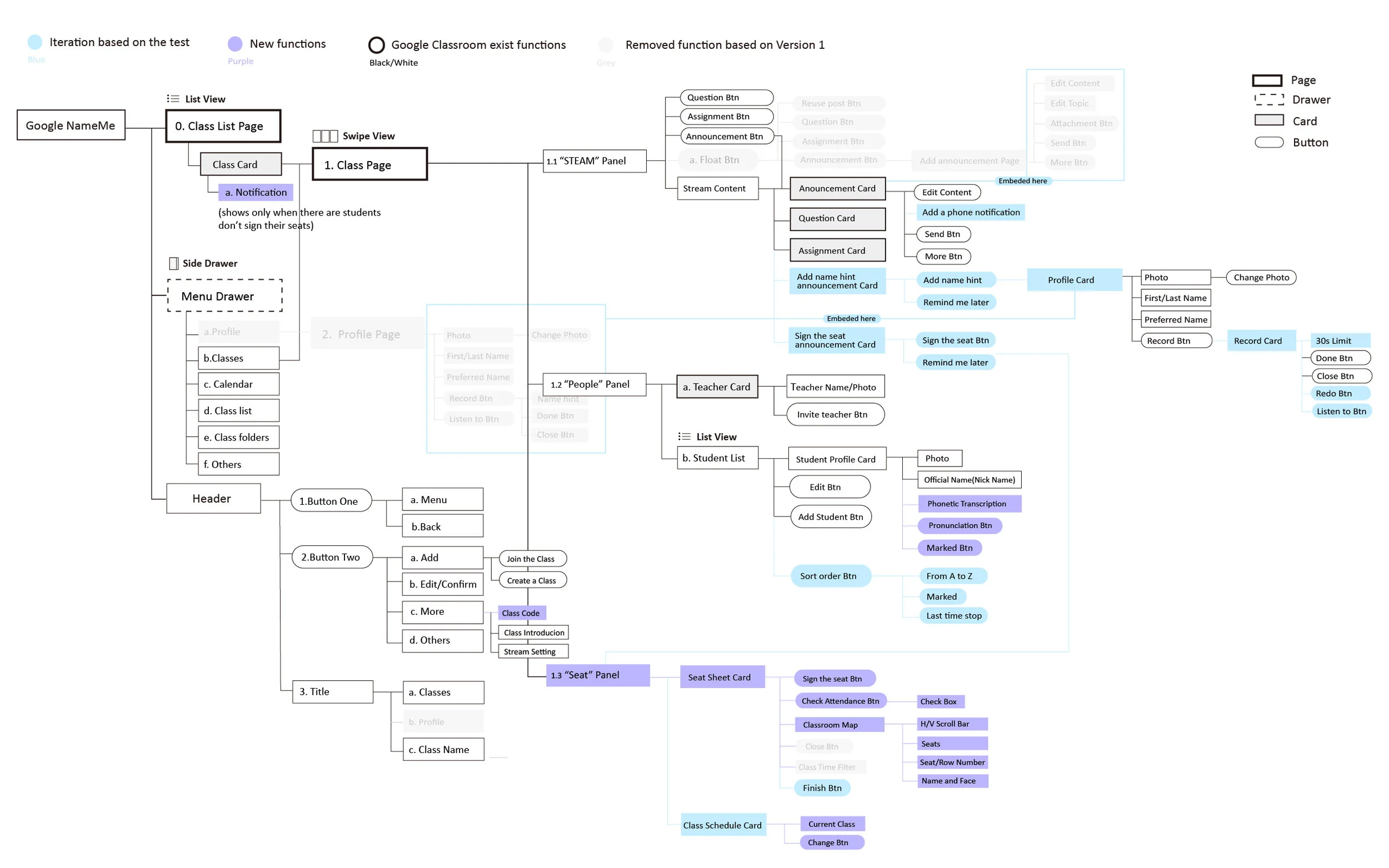
Information Architecture (Version 2.0)
Based on the user testing result, I modified the flow to make the flow more reasonable.
2. User Flow
3.Key Flows With first-hand visual
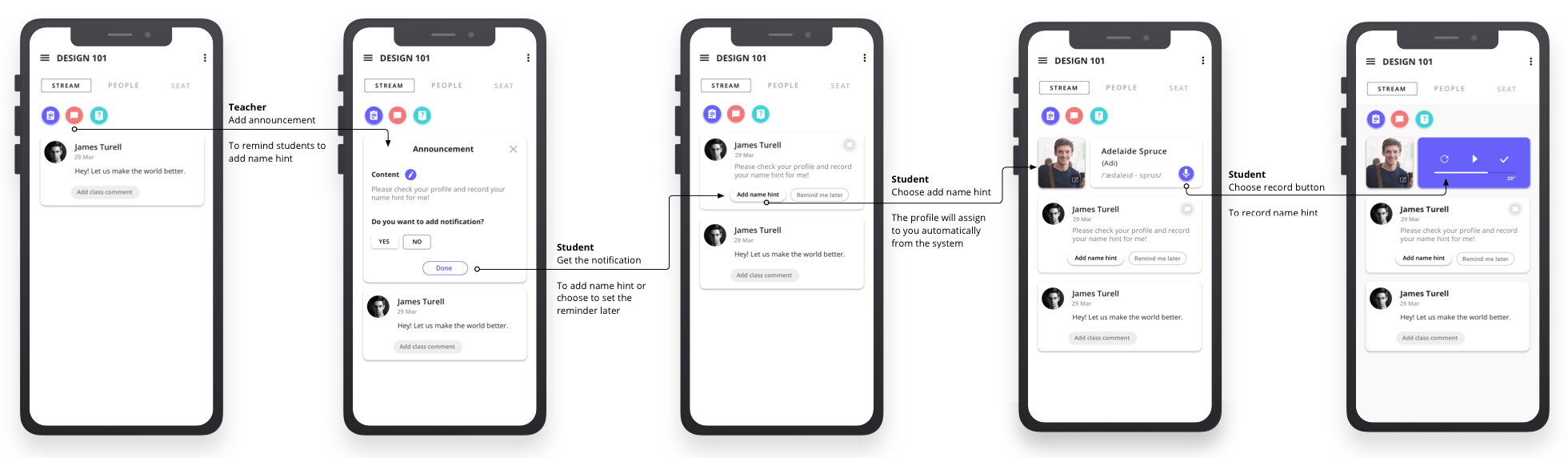
1. Add name hint flow
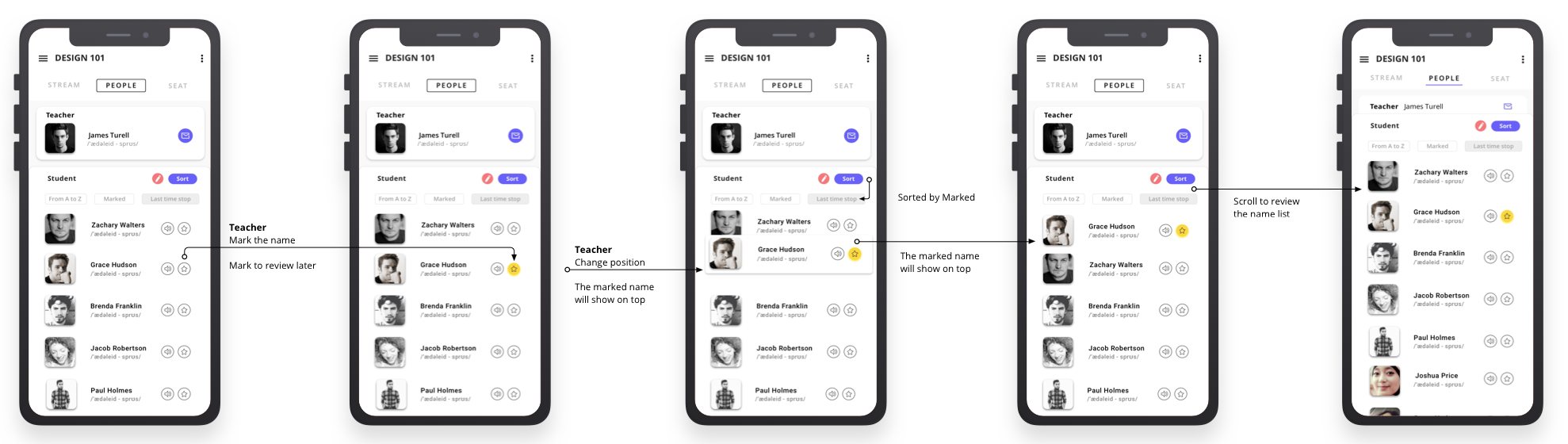
2. Review name list flow
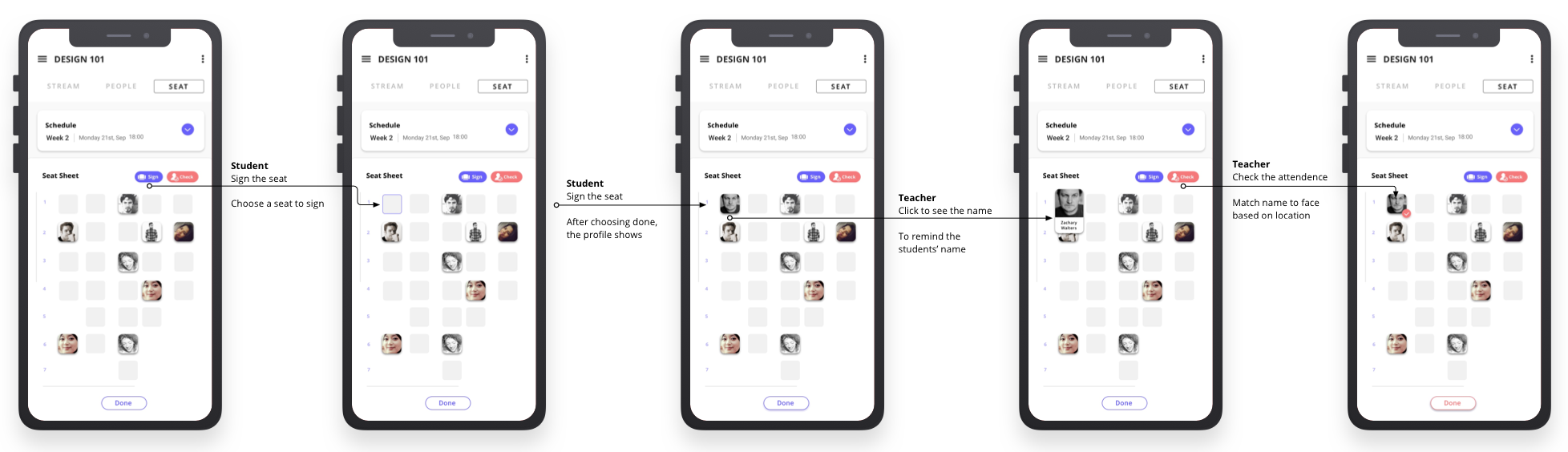
3. Check attendance flow
Self- Reflection
How do I best understand ”shorten the time"? It is hard to quantitively evaluate and compare time spent on the tool and time saved through its successful use.
It is interesting designing a tool with the goal of not needing it.
Remembering names needs the collaboration of teachers and students - and even administrators.
Seeing as the beginning of a new semester is a short time - rather than launching a totally new product, best to incorporate name-learning features into existing products.